

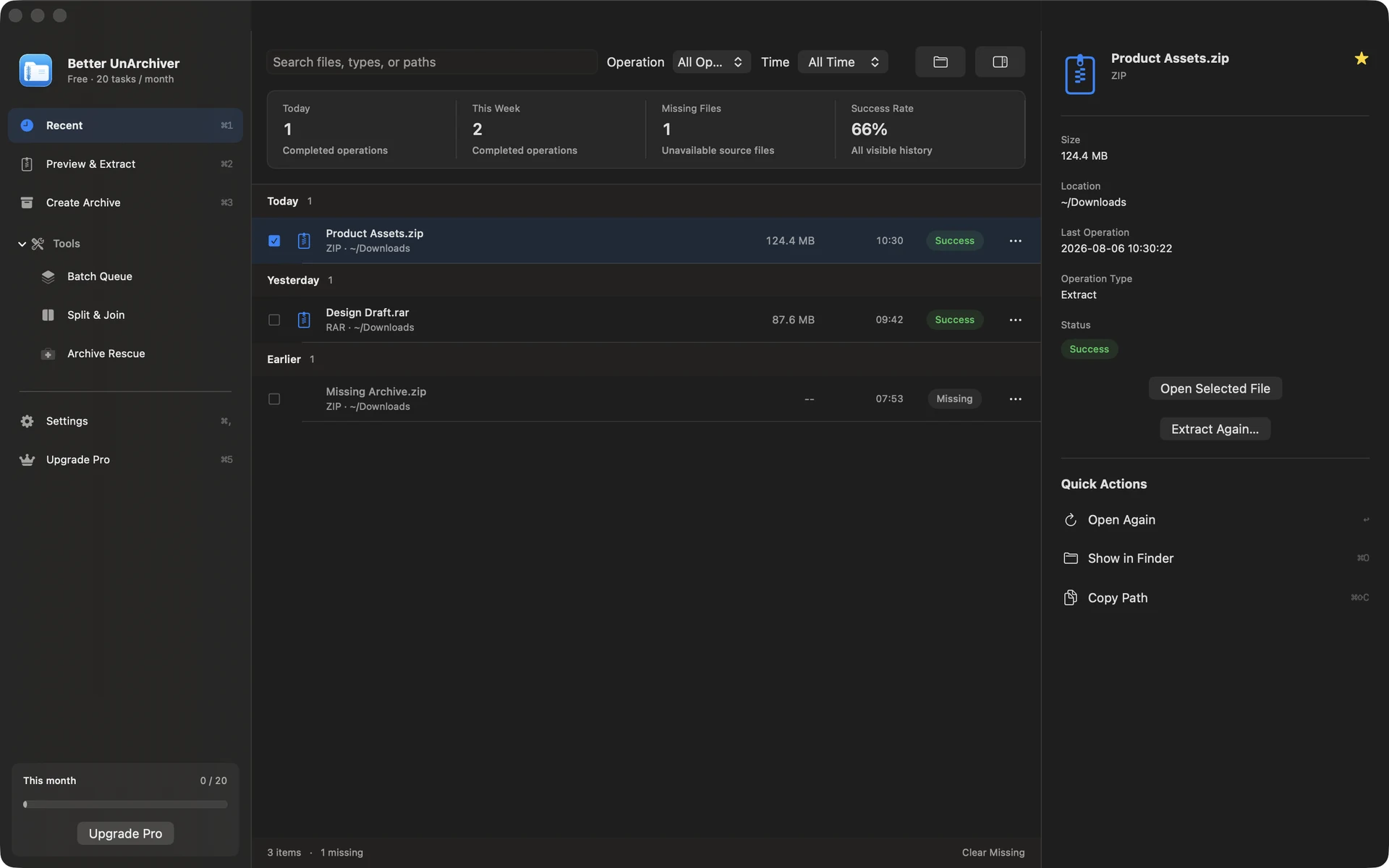
Archive work
Inspect first. Extract second.
Browse archive contents, select only what you need, then confirm the destination and risks.
Two focused tools for macOS
BetterMac builds clear, quiet tools for everyday Mac work. Files stay local by default, and system status is explained with real data and explicit boundaries.
Archive work
Browse archive contents, select only what you need, then confirm the destination and risks.
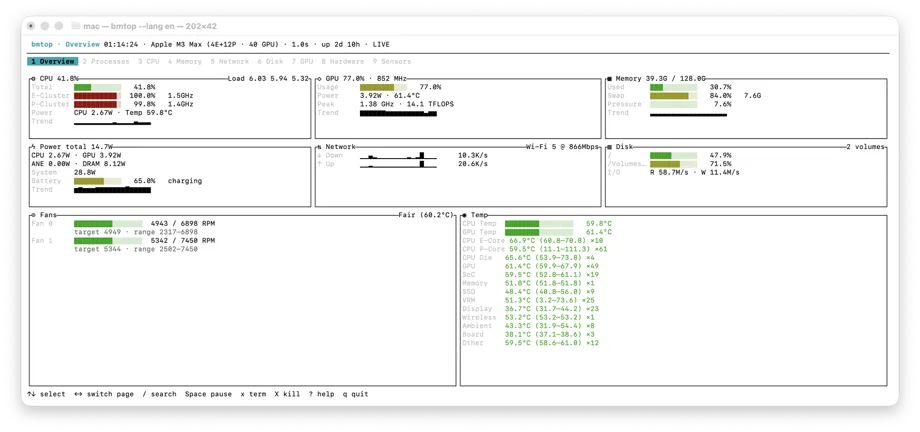
System diagnosis
Inspect processes and resources; Apple Silicon adds native SoC telemetry.
Core file work needs no upload, with permissions and network boundaries stated plainly.
See inputs, state, and results before deciding what happens next.
Format, attribution, and platform boundaries appear before you act.
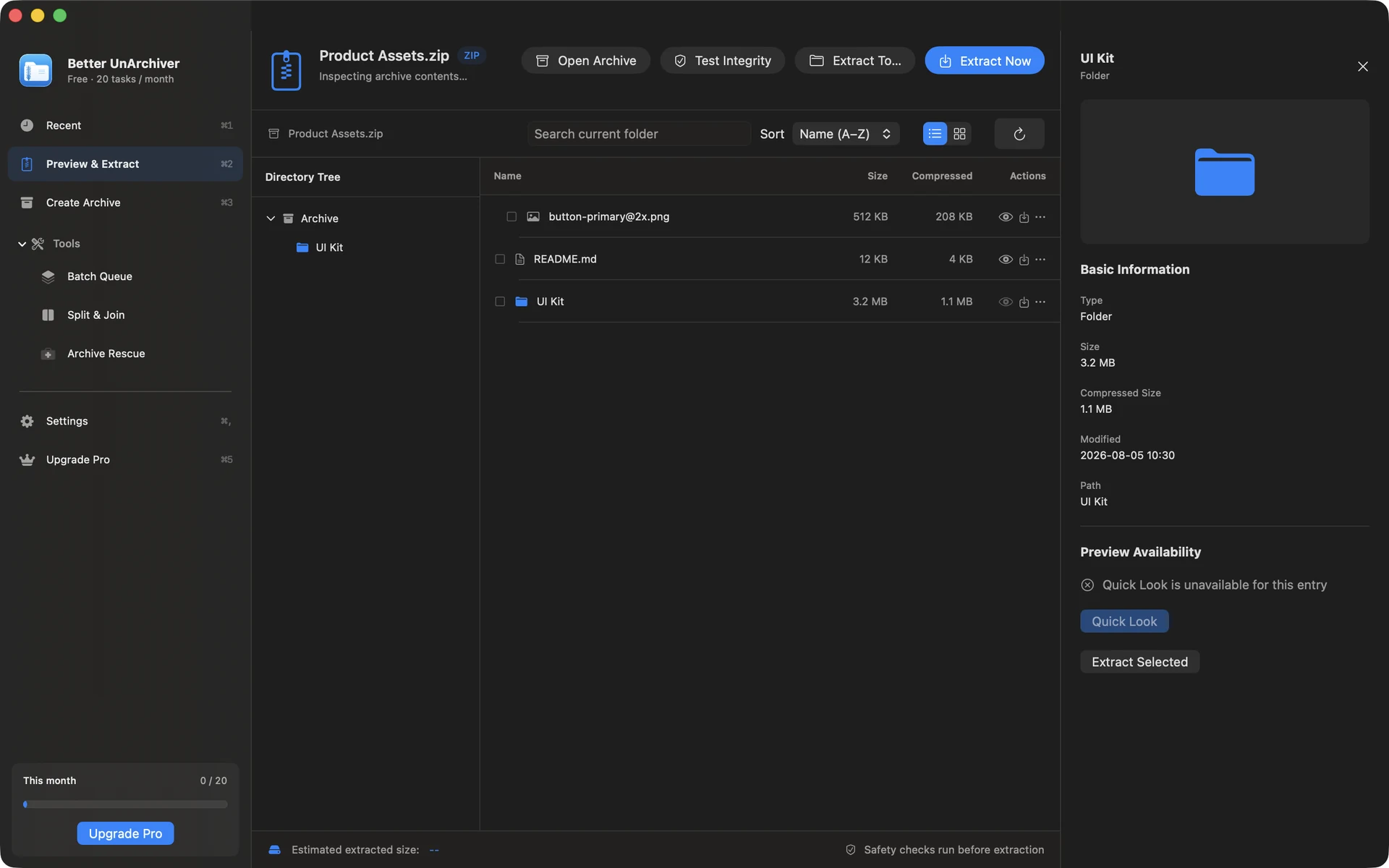
Better UnArchiver · Task flow
Inspect, choose, and run from one workspace — a predictable path instead of a wall of features.
The tree, search, and integrity check answer what is inside first.
Destination, disk space, and potential risks stay visible before execution.
Extract selected files, or create encrypted and split ZIP / 7z archives.
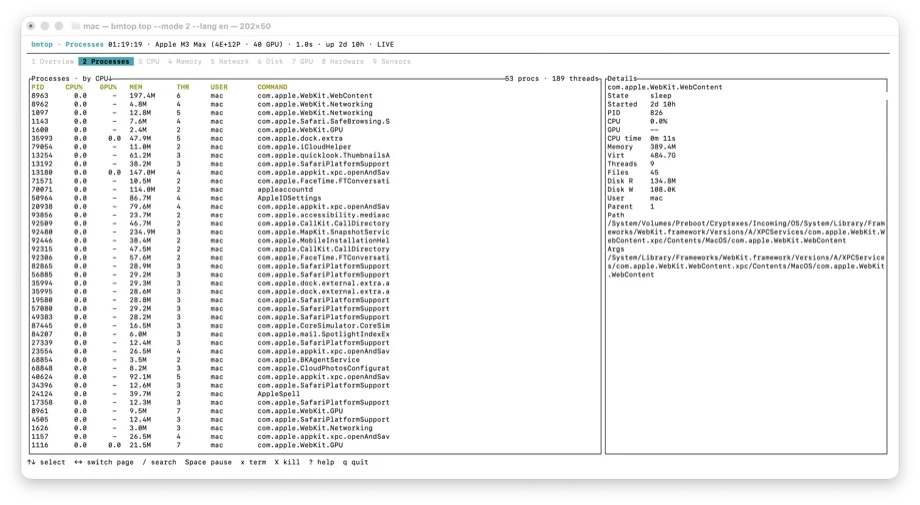
BetterMac bmtop · Diagnostic path
Keep familiar top / htop controls while resources, processes, and hardware telemetry share one diagnostic path.
Read CPU, memory, network, disk, GPU, and thermal pressure together.
Sort by resources or Energy Impact, with confirmation before ending anything.
Estimated watts is an attribution model, never presented as direct per-process measurement.
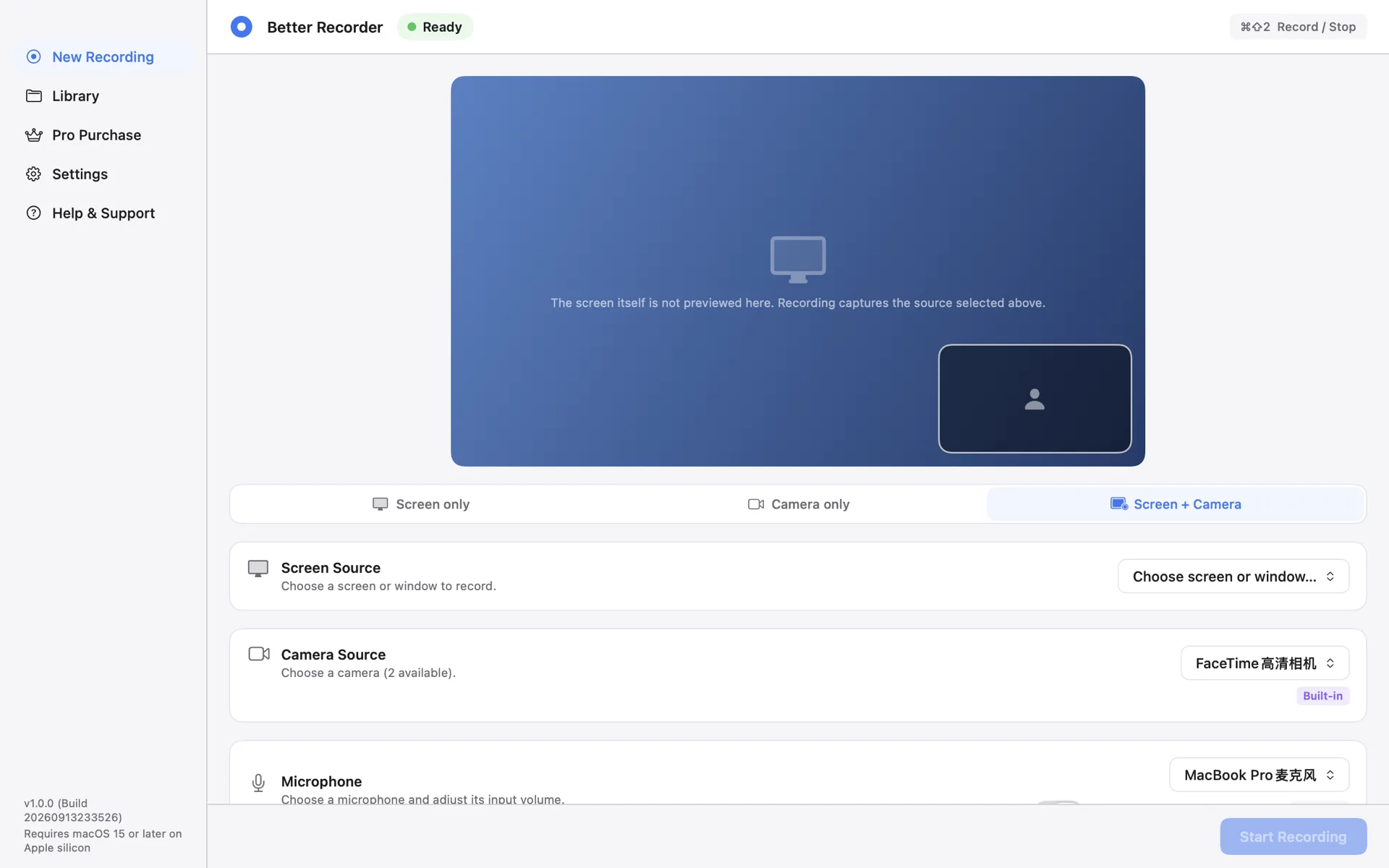
Better Recorder Pro · Recording path
Choose a mode, choose the sources, run preflight, press record. Picture-in-picture is composited while recording, so stopping leaves a playable MP4.
Screen only, Camera only, or Screen + Camera, with system audio and a microphone in screen modes.
It checks only what this recording needs: Screen Recording, Camera, and Microphone when you picked one.
MP4 up to 1080p30, saved in the folder you choose; the app does not upload recorded media.
Verifiable, not merely claimed
BetterMac does not invent ratings or customer logos. Distribution, source, versions, and the legal operator can be checked outside this site.
Distributed through the Mac App Store; Apple handles purchases and restoration.
Open source on GitHub under MIT, with Homebrew installation.
Local-processing boundaries, optional attachments, and support channels are public.
BetterMac products
Better Share, Better Calc Pro, and Better Recorder Pro are available now. From LAN transfer and calculation work to local recording, archives, system diagnosis, and authorized-folder cleanup, start with the tool that fits the task in front of you.
Open-source terminal monitor
Inspect system resources, Apple Silicon SoC telemetry, and process energy from the macOS terminal.
macOS archive utility
A local-first workspace for browsing, extracting, creating, and diagnosing archives.
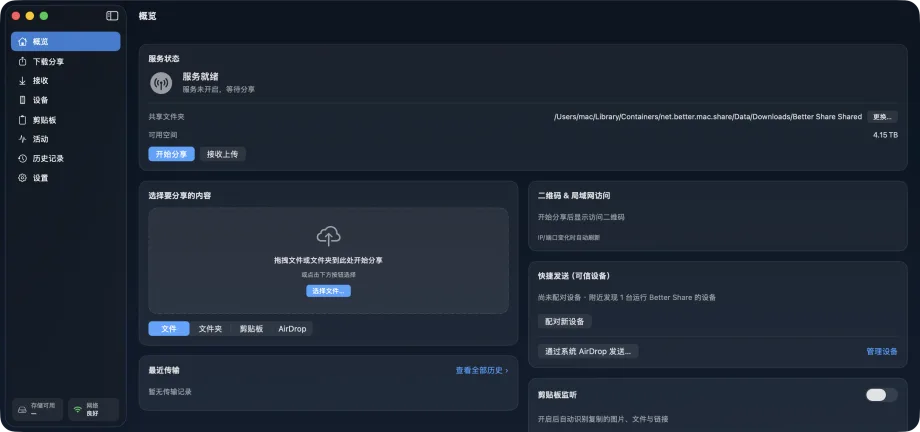
Free LAN file sharing
Encrypted Mac-to-Mac transfer, QR browser send and receive, and an AirDrop hand-off with resumable, verified transfers.
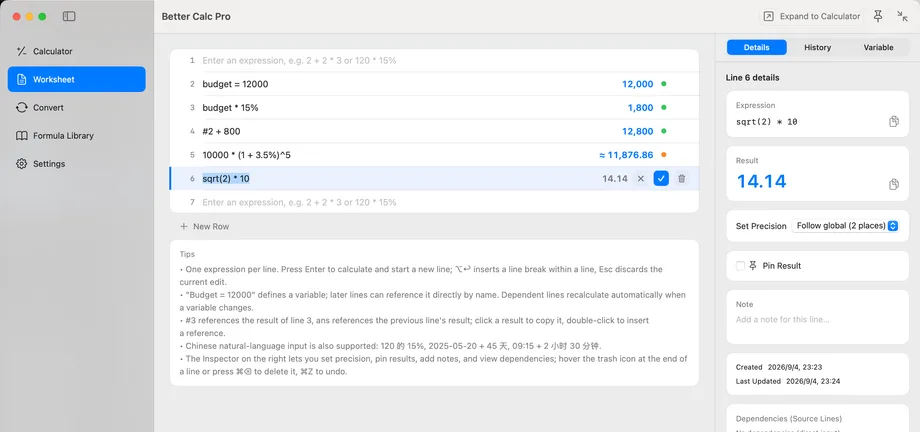
Free macOS calculator workbench
A recalculating worksheet with variables and line references, three keypads, unit and currency conversion, formulas, and ⌘K.
 App screenshot not yet published
Authorized-folder cleanup
Scan cleanup candidates, large files, duplicates, and similar images in folders you explicitly authorize. Review the evidence first, then only confirmed items move to the macOS Trash.
Local screen and camera recording · Available now
Screen, camera, or screen + camera picture-in-picture, with system audio and microphone, written as 1080p30 MP4 into the folder you choose.
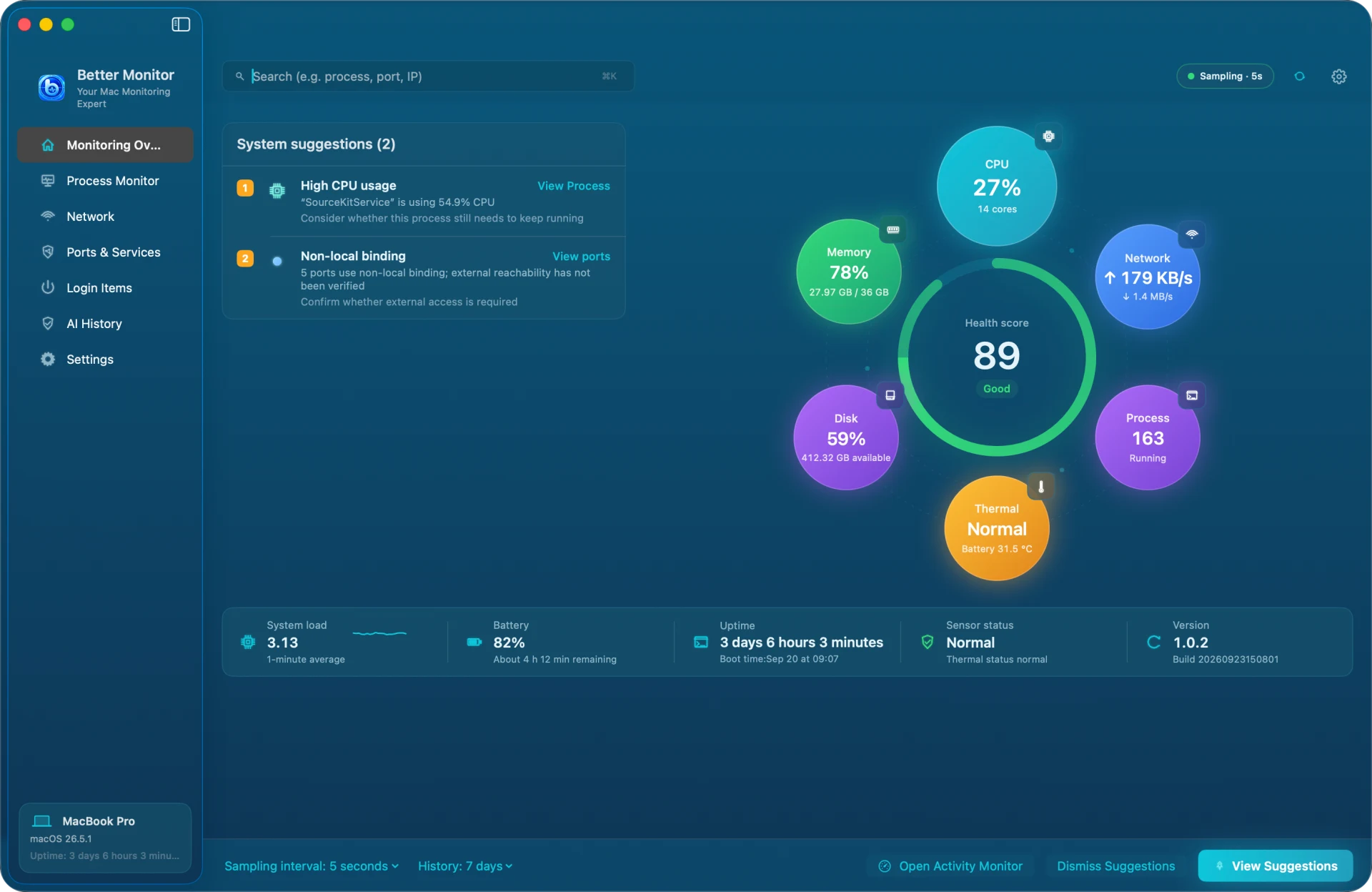
Free macOS system monitoring
Inspect processes, resources, networks, ports, and startup items in one clear local workspace; optional AI explains only the process snapshot you choose.
Choose the task
Start with the problem in front of you — no product catalog to decode first.