

Inspect before extracting
Browse an archive as a tree, search entries, and extract only the files or folders you need.

Better UnArchiver is a native macOS archive utility for browsing, selective extraction, encrypted ZIP and 7z creation, and multilingual filenames from Windows. Download it now from the Mac App Store.
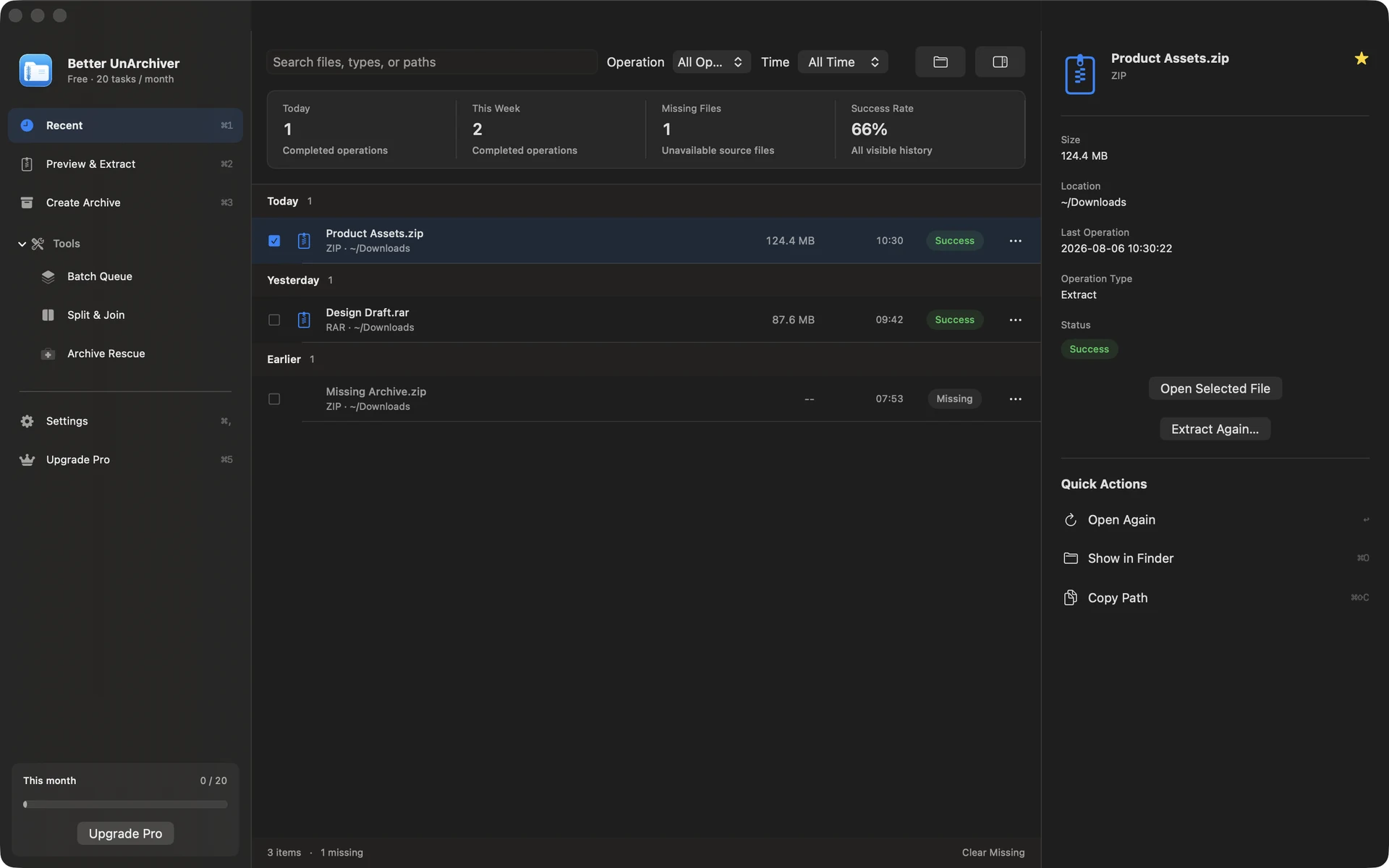
Feature tour
From recent tasks to settings and the Pro purchase experience, these are the main Better UnArchiver surfaces.
See tasks, destinations, and results as soon as an archive is added.
Browse an archive, choose its contents, and set the destination before extracting.
Choose ZIP, 7z, or tar-family formats and tune compression and volumes.
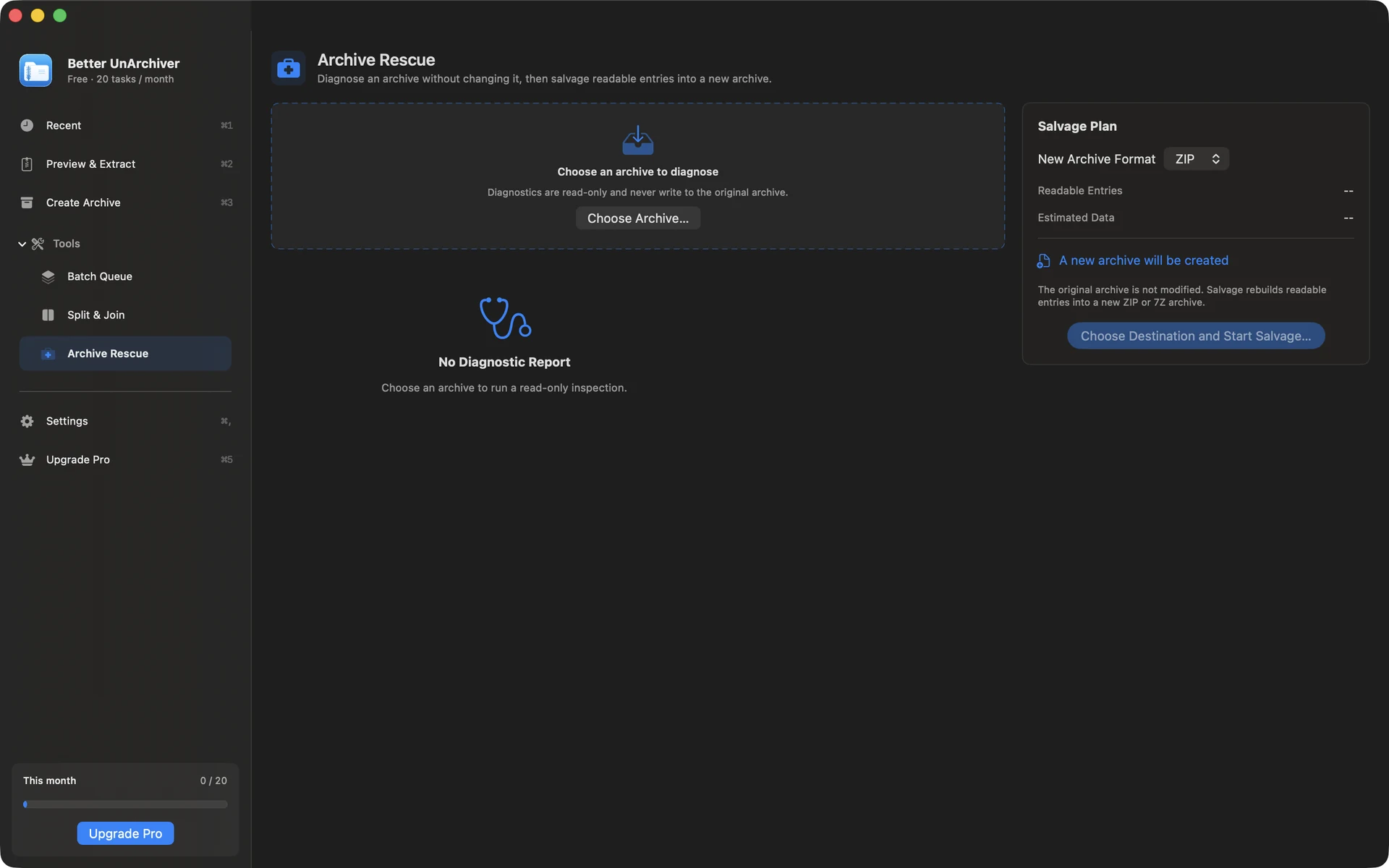
Diagnose a damaged archive read-only, then salvage readable entries into a brand-new archive.
Queue several archives, review their sources and destination, and process them together.
Local-firstArchive contents are processed locally by default; only support attachments you explicitly submit are uploaded.
RAR4 / RAR5RAR is extraction-only; RAR creation and recovery-record repair are not offered.
AES-256Create encrypted ZIP and 7z archives.
Better UnArchiver is a native macOS utility: inspect contents before choosing a destination, then keep format, encryption, and volume settings in view while creating archives.
Browse an archive as a tree, search entries, and extract only the files or folders you need.
Detect common GBK, Big5, Shift-JIS, and EUC-KR filename encodings, with a manual override when needed.
Stream tasks, assemble volumes, and run read-only diagnostics; salvage creates a new archive and never changes the original.
Use cases
Browse an archive tree, search entries, and extract only what you need when a full unpack would be unnecessary.
Choose ZIP, 7z, or a tar-family format, configure compression, AES-256, and split volumes, then produce an archive for colleagues or another system.
For encrypted, split, or damaged entries, run a read-only check first, understand what is readable, then extract or create a rescue copy.
Boundaries
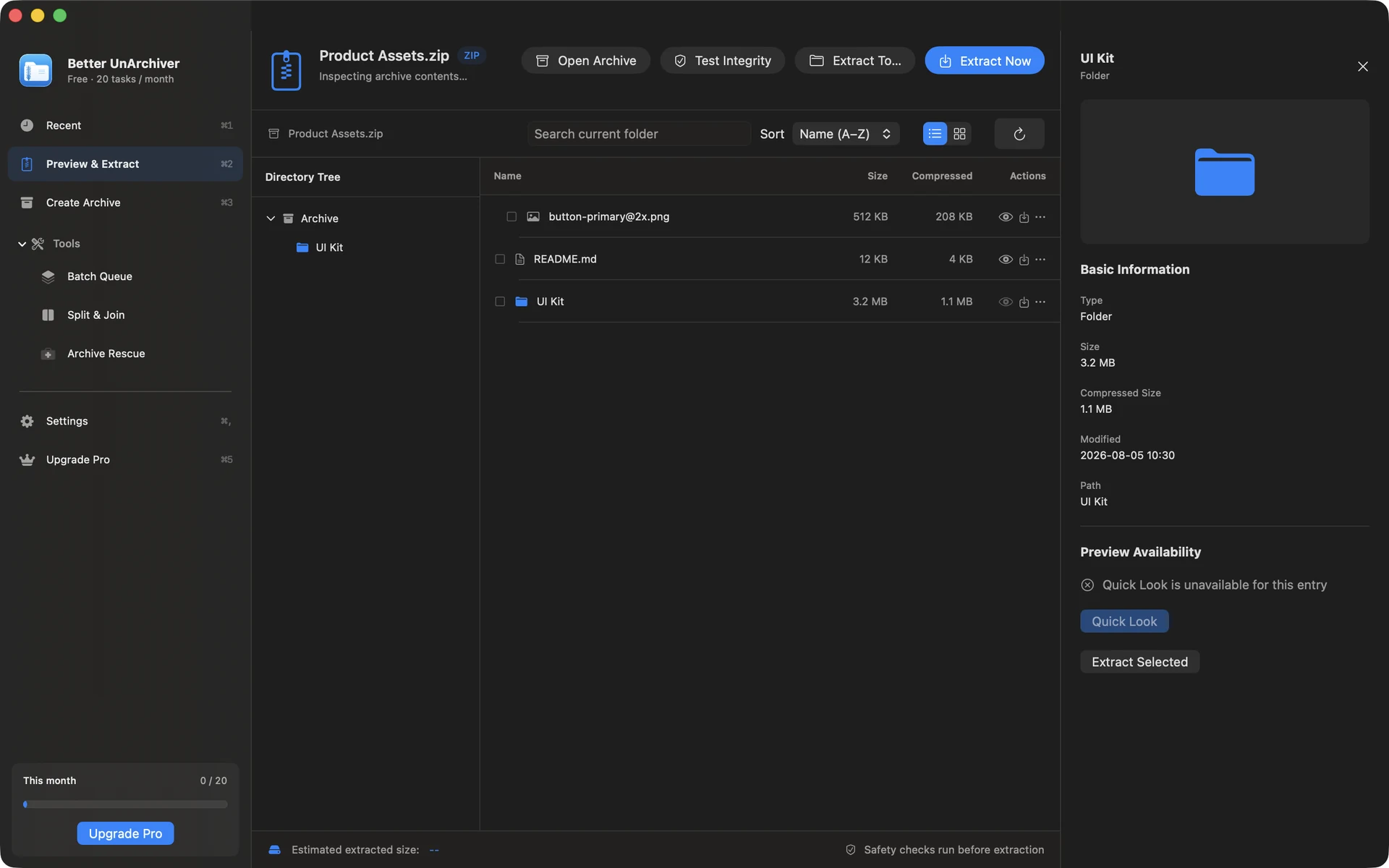
Handle encrypted archives, volume sets, destination policies, and damaged-entry reports. Path traversal and unsafe symbolic links are blocked.
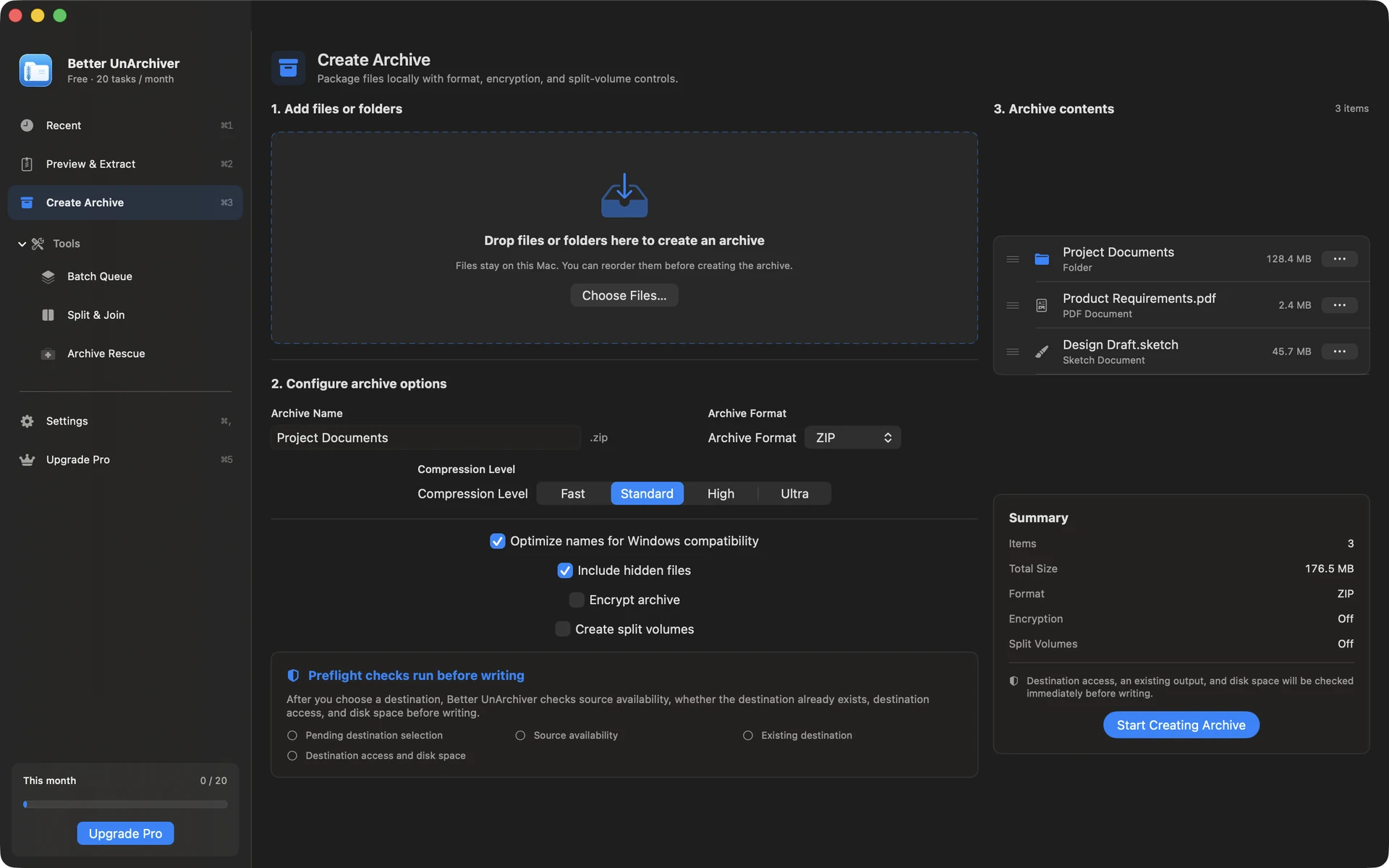
Create ZIP, 7z, and tar-family archives, choose a compression level, exclude system clutter, and enable AES-256 for ZIP or 7z.
Archive contents are processed locally by default. Passwords enter the current device's macOS Keychain only when you explicitly choose to save them and do not sync through iCloud; history and folder permissions stay local too.
These are the format capabilities in the current release.
| Format | Capability | Notes |
|---|---|---|
| RAR4 / RAR5 | Extract | Encrypted and multi-volume extraction; no RAR creation or recovery-record repair. |
| ZIP | Extract, create | Common encryption methods; AES-256 and split volumes when creating. |
| 7z | Extract, create | Encrypted read and write use the bundled 7-Zip component; AES-256 and split volumes are supported when creating. |
| tar / gz / bz2 / xz | Extract, create | Create tar, tar.gz, tar.bz2, and tar.xz; tar-family archives do not provide archive encryption. |
| ISO / Z / ARJ | Extract | Read-only formats; ARJ is handled by the bundled 7-Zip component. |
| CAB / LHA (LZH) | Extract | Read-only legacy formats; LHA and LZH are common names for the same archive family. |
| DMG | Read-only | Common unencrypted images only; use macOS mounting for encrypted or incompatible images. |
About RAR: Better UnArchiver uses UnRAR for RAR extraction. RAR creation is proprietary, and salvage does not repair RAR recovery records.
Download Better UnArchiver from the Mac App Store; Apple handles purchases and restoration. macOS 14 or later · Apple silicon and Intel.
Pricing
The item, price, tax, and refund terms are controlled by the Mac App Store purchase screen.
Free
No account required
One-time in-app purchase
Price shown on the Mac App Store purchase screen
The free tier includes 20 tasks per month up to 100 MB each. A one-time Mac App Store purchase removes the task-count and size limits shown for the current version and unlocks Pro. Better UnArchiver is available on the Mac App Store, where Apple handles purchases and restoration. Website checkout and license services remain disabled, and the recovery portal stays closed.
Before you purchase
No. Pro is a one-time, non-consumable in-app purchase, not a monthly or annual subscription.
Complete 20 successful tasks per calendar month, with up to 100 MB per task. Browsing, Quick Look, and integrity tests are not counted.
Buy or restore the Mac App Store Pro entitlement from Settings.
View on the Mac App Store