


Better Monitor brand icon

macOS system monitoring · Free · Homebrew Cask and signed direct releases

Better Monitor

Inspect processes, resources, networks, ports, and startup items in one clear local workspace; optional AI explains only the process snapshot you choose.

macOS 15 or later · Version 1.0.2 · net.better.mac.monitor

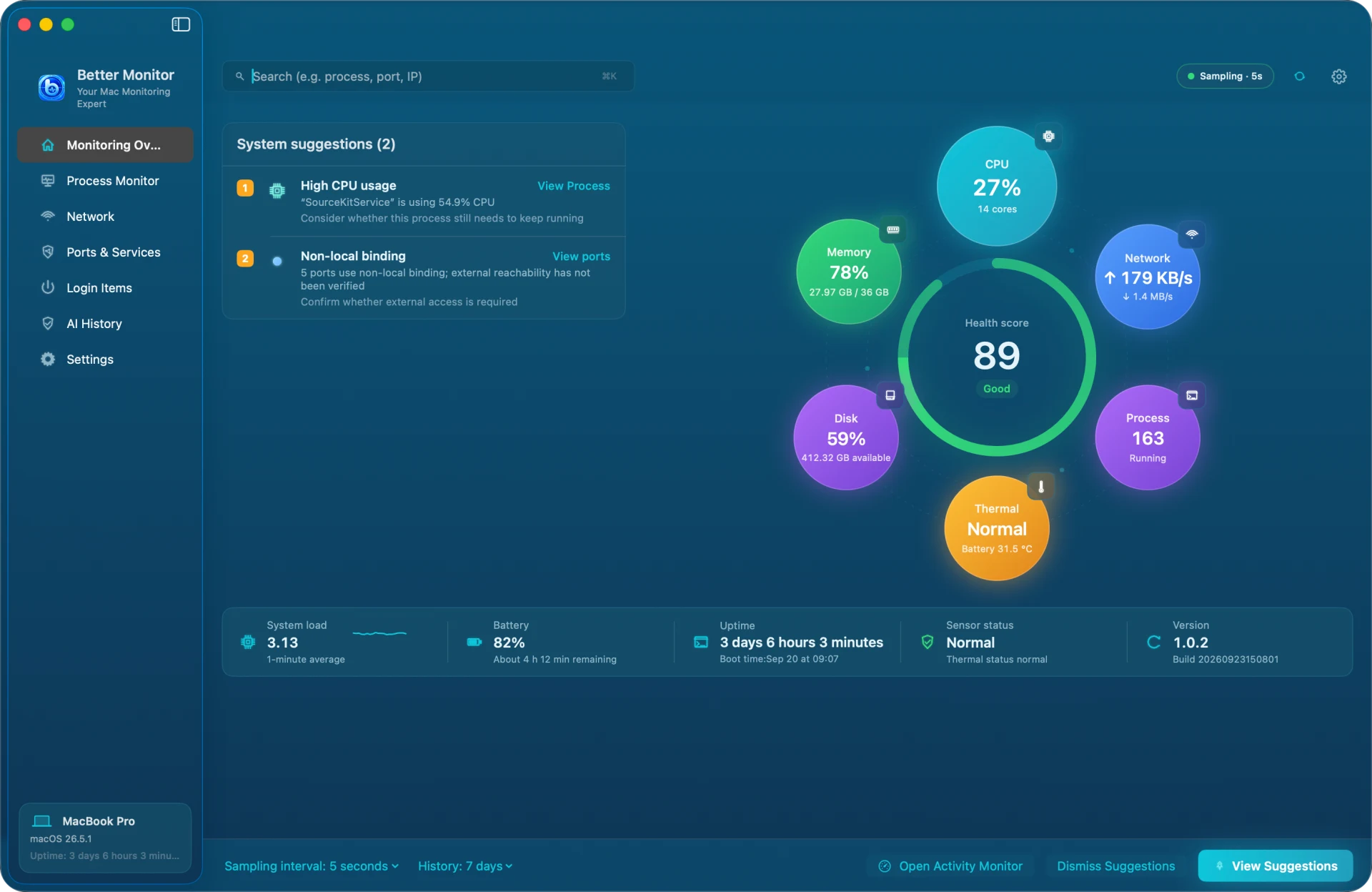
Better Monitor Monitoring Overview with a health score of 89, six metric bubbles for CPU, memory, network, disk, processes, and thermal state, and two suggestions about high CPU from SourceKitService and a non-local port binding
Monitoring Overview · demo data

Local-firstMonitoring history stays on your Mac; monitoring data is not uploaded automatically.

See the systemCPU, memory, disk, network, ports, battery, and sensor information in one place.

Optional AIOnly the selected process snapshot is sent to your configured AI provider when you request a summary.

Free distributionFree through Homebrew Cask and signed direct releases, with no subscription or paid entitlement.

Capabilities

Follow the evidence from current resources to processes, networks, and system entry points with Better Monitor.

01

Processes and resources

Inspect processes by resource use, open details, and confirm supported actions before they run.

  • Process details and resource summaries
  • Local history and status information
  • Constrained by macOS permissions and system protections
02

Networks and ports

Inspect network information, activity, connections, and listening ports while separating observations from reachability claims.

  • Network activity and connection information
  • Ports and services inventory
  • A local binding is not presented as public reachability
03

Startup items and explanations

Review startup items and system state; request an AI explanation for one process snapshot when you need more context.

  • User startup-item changes require explicit confirmation
  • AI API keys are stored in the macOS Keychain
  • The provider's own retention and training terms apply

Privacy & local processing

Monitoring stays on your Mac

Better Monitor reads system and process information locally and stores monitoring history without automatically uploading monitoring data. Public-IP lookup is user initiated; AI summaries send only the process snapshot you select.

  • API keys are stored only in the macOS Keychain
  • You can clear local monitoring history and AI conversations
  • Support sends only the information and attachments you actively choose
  • Clearing local data does not retract information already submitted to a third-party provider
Read the privacy policy
Local monitoringOptional AIKeychain secretsUser-confirmed actions

Boundaries

Clear boundaries

  • The app does not guarantee that every process, port, connection, or sensor is visible.
  • Ending processes and changing startup items require your explicit action and may be refused by macOS permissions or system protections.
  • This product does not promise remote monitoring, firewall control, or automatic repair.
  • AI is an optional explanation tool and does not execute cleanup or system actions for you.

Get Better Monitor

Start with Homebrew Cask or a signed direct release

Better Monitor is not a Mac App Store product and has no MIT license or subscription entitlement.

Frequently asked questions

Frequently asked questions

Does Better Monitor cost anything?

It is free, with no subscription, paid entitlement, or refund flow.

How do I install it?

Run `brew install --cask bettermacnet/tap/better-monitor`, or download the signed and Apple-notarized DMG from GitHub Releases.

Is monitoring data uploaded?

Not automatically. Information is sent only when you request a public-IP lookup, AI summary, or support request.

Can it end a process?

Supported actions require your explicit confirmation and remain subject to macOS permissions and protections.

What macOS version is required?

macOS 15 or later; both Apple silicon and Intel Macs are supported.

Need help?

Read about permissions, processes, ports, startup items, and optional AI boundaries. If you still need help, contact Better Monitor Support.