

Better Share
AirDrop will not reach that Windows or Android device
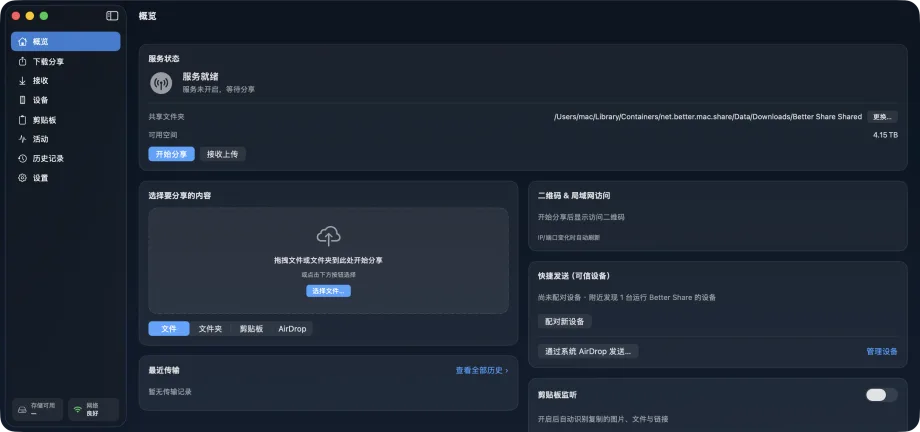
Encrypted LAN transfer or QR browser send without leaving the local network.
The situation
A mixed desk: Mac plus a Windows laptop or Android phone. You need a large folder or a quick text hand-off on the same LAN without uploading to a drive.
What usually goes wrong
AirDrop is Apple-only. Email and chat compress or reject big folders. Random web “send anywhere” tools leave the local network.
A clearer path
- Put both devices on the same network (mind VPN).
- Use Better Share’s Mac-to-Mac encrypted path, or QR browser send/receive where that fits.
- Prefer resumable, verified transfers for large payloads.
Product used
Better Share
Better Share — encrypted Mac-to-Mac, QR browser send/receive, AirDrop hand-off, resumable verified transfers (per homepage/product copy).
Open product page