

Better UnArchiver
You got a multi-gigabyte archive. You only need three files.
Preview the tree first, then extract only the files you need.
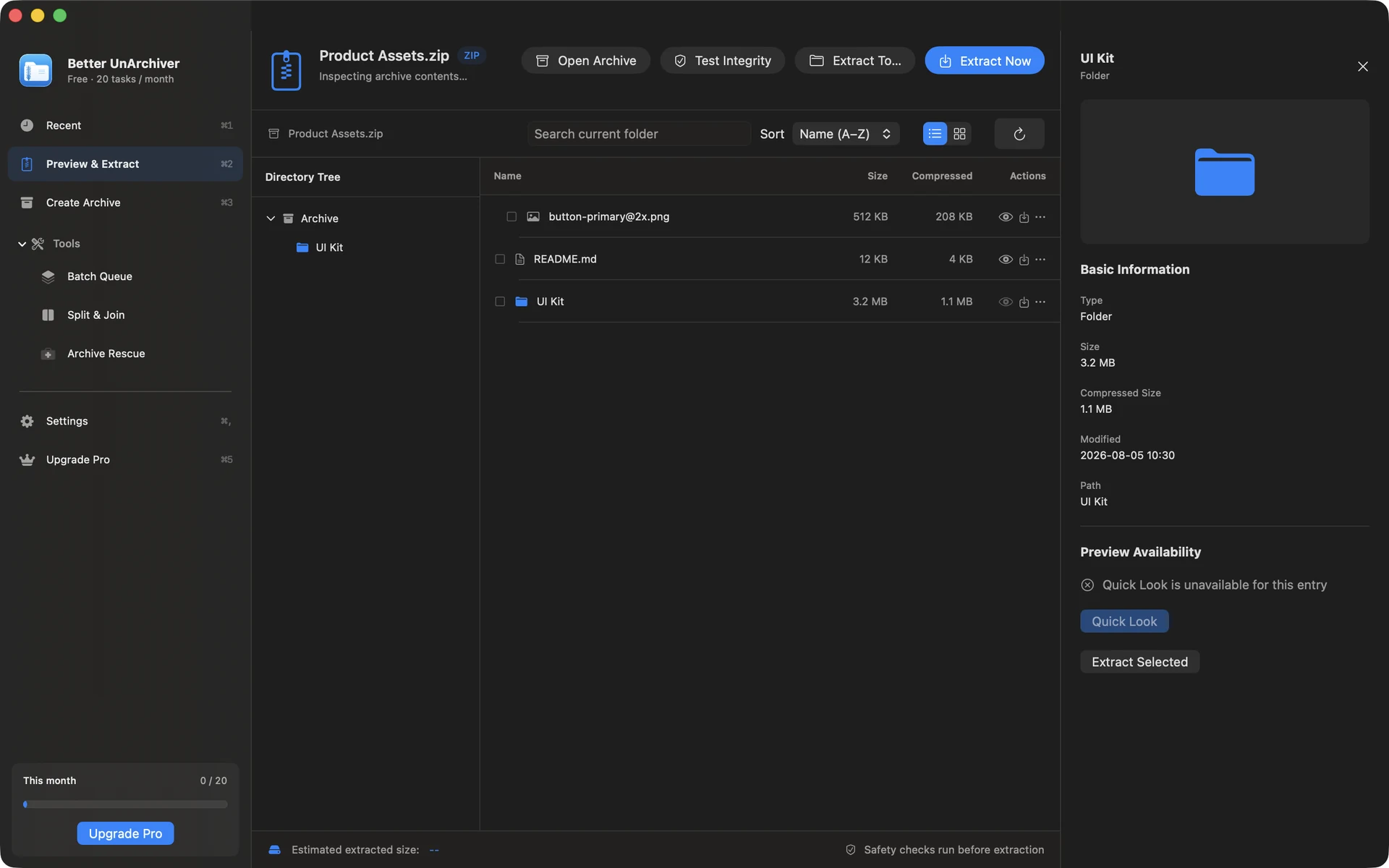
The situation
A designer or developer receives a large ZIP, 7z, or RAR delivery pack. The useful files sit in one folder; the rest is reference material that will never be opened.
What usually goes wrong
Double-clicking with Archive Utility unpacks everything. Disk fills up, Finder crawls, and you still hunt for the three files you actually wanted.
A clearer path
- Open the archive in Better UnArchiver.
- Browse the tree and search by name.
- Select only the entries you need, confirm the destination, then extract.
Product used

Better UnArchiver
Better UnArchiver — inspect-first workspace: tree browse, search, selective extract.
Open product page