

See which ports your Mac is listening on and who owns them
Dev servers, databases, and macOS's own sharing services all open ports. Ports & Services shows who is listening, on which address, and which bindings deserve a look.
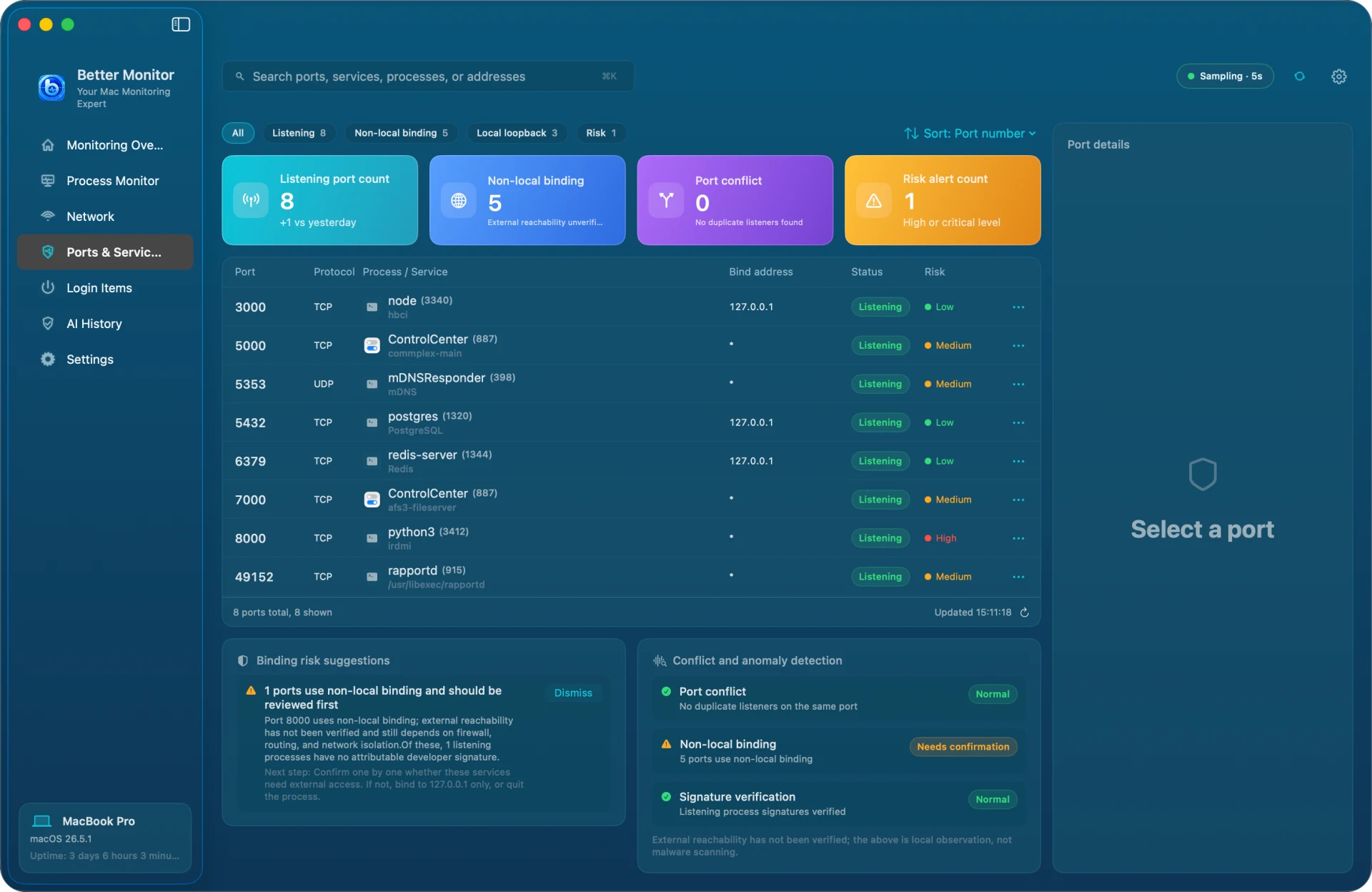
What is on the page
Filter by All, Listening, Non-local binding, Local loopback, or Risk. The four cards show the listening port count (with the change since yesterday), non-local bindings, port conflicts, and risk alerts. The list shows port, protocol, process and service name, binding address, state, and risk level; the ⋯ button copies port info, reveals the executable in Finder, or quits the process.
Reading the binding address
The binding address decides who can connect:
- 127.0.0.1 or ::1: reachable from this Mac only
- *, 0.0.0.0, or ::: listening on every interface, so other devices on the network may connect
- A specific LAN address: listening on that interface only
A non-local binding is not the same as exposed
A non-local binding is a signal to check: firewalls, routers, and network isolation all affect whether the port is reachable from outside. Better Monitor does not scan ports and is not a security audit tool. Built-in services such as the AirPlay Receiver on ports 5000 and 7000 listen on all interfaces by design and usually need no action.
Dealing with a flagged port
Binding risk suggestions explain the reason and the next step:
- Confirm you need the service and whether other devices should reach it
- For a dev server you only use locally, bind it to 127.0.0.1
- For a service you do not need, turn it off in its own settings or quit its process
- Conflict and anomaly detection also checks for duplicate listeners and listening-process signatures