

Preview and selectively extract with Better UnArchiver
Inspect an archive before choosing files, folders, and a destination. You do not have to extract everything to retrieve one item.
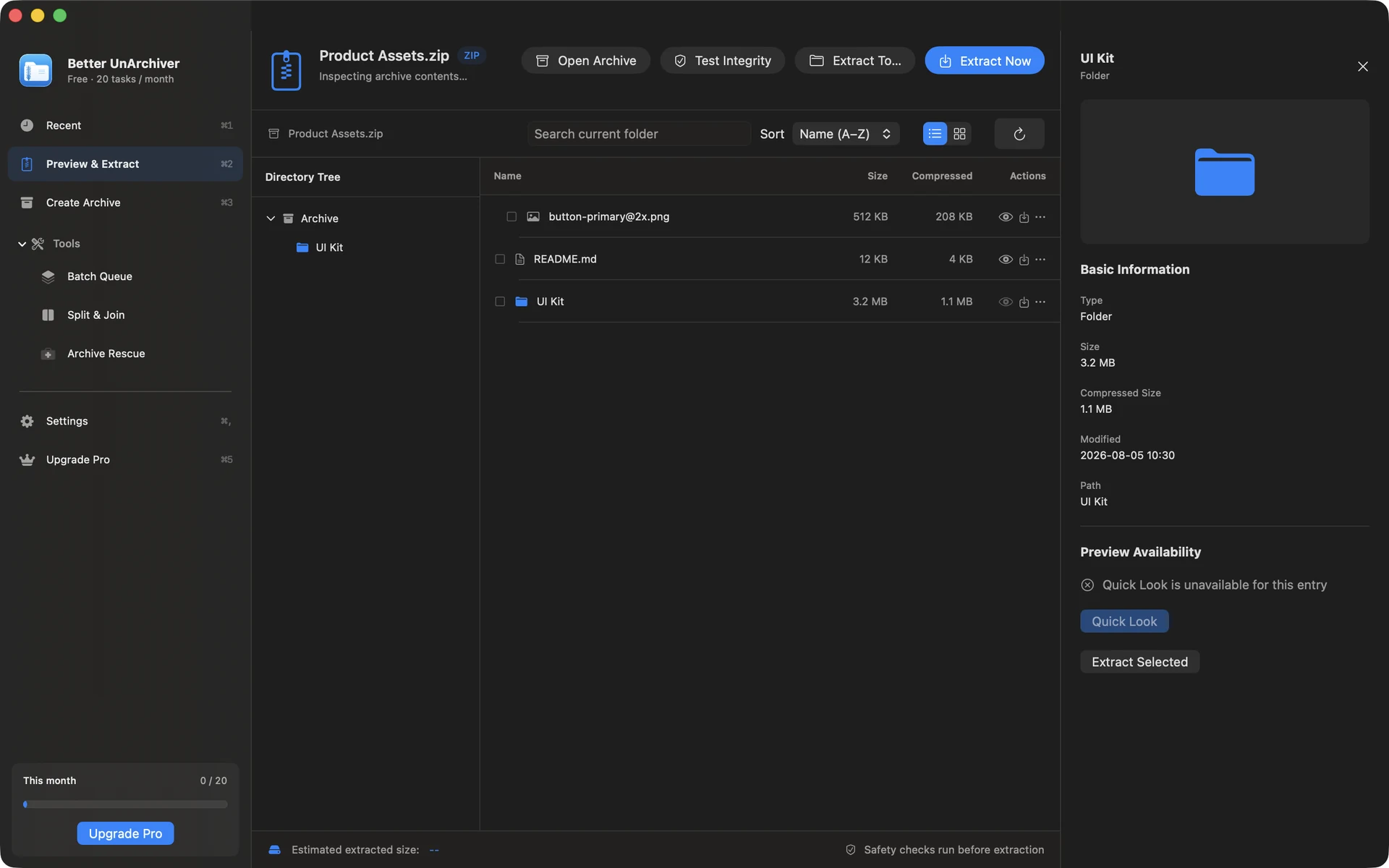
Open and browse an archive
Choose an archive, browse its tree, and search entries. For a multi-volume set, open the first volume.
Extract only what you need
Select files or folders, choose a destination, and start the task. Folder authorization and available disk space are checked first.
- Common encrypted archives and volume sets
- Automatic GBK, Big5, Shift-JIS, and EUC-KR filename detection
- Smart subfolder destination policies
Safety boundary
Path traversal and unsafe symbolic links are blocked. Archive contents stay local by default; only support attachments you explicitly submit are uploaded.
Available on the Mac App Store
The free tier includes 20 tasks per month up to 100 MB each. A one-time Mac App Store purchase removes the task-count and size limits shown for the current version and unlocks Pro. Better UnArchiver is available on the Mac App Store, where Apple handles purchases and restoration. Website checkout and license services remain disabled, and the recovery portal stays closed. macOS 14 or later · Apple silicon and Intel.