

Create encrypted archives with Better UnArchiver
Select files, configure format, compression, password, and volume options together, then create the archive.
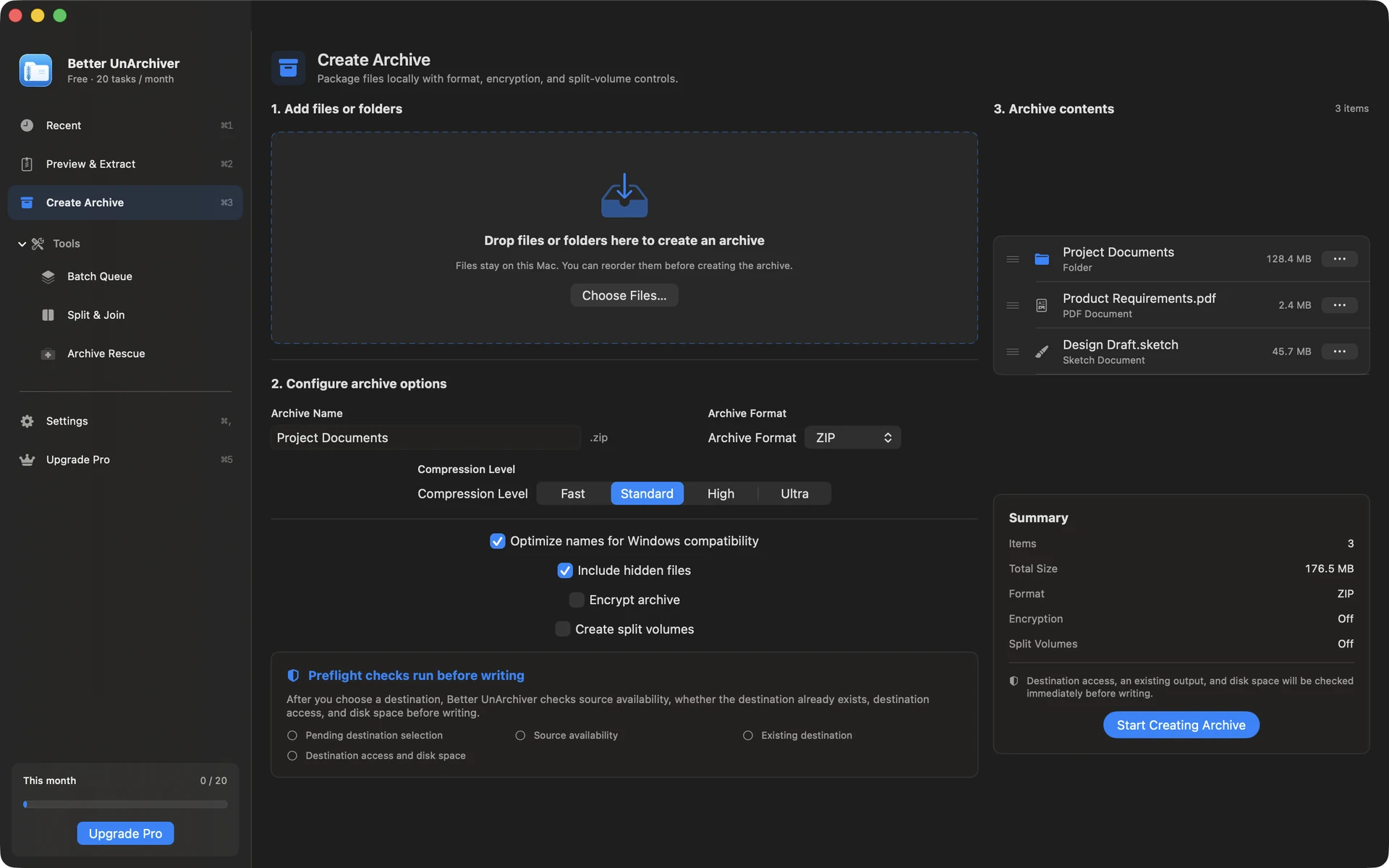
Choose a creation format
ZIP and 7z suit encrypted or multi-volume work. tar, tar.gz, tar.bz2, and tar.xz cover tar-family workflows.
Set AES-256 and a password
ZIP and 7z creation support AES-256. A password enters the current device's macOS Keychain only when you explicitly save it and is not synchronised through iCloud Keychain.
- Do not disclose archive passwords in pages, logs, or support requests
- The app cannot bypass archive encryption if a password is lost
- Encryption capability depends on the selected format
Compression level and volumes
Choose compression and volume size for the destination, optionally exclude system clutter, and enable Windows compatibility. Keep every file in a completed volume set.
Available on the Mac App Store
The free tier includes 20 tasks per month up to 100 MB each. A one-time Mac App Store purchase removes the task-count and size limits shown for the current version and unlocks Pro. Better UnArchiver is available on the Mac App Store, where Apple handles purchases and restoration. Website checkout and license services remain disabled, and the recovery portal stays closed. macOS 14 or later · Apple silicon and Intel.